
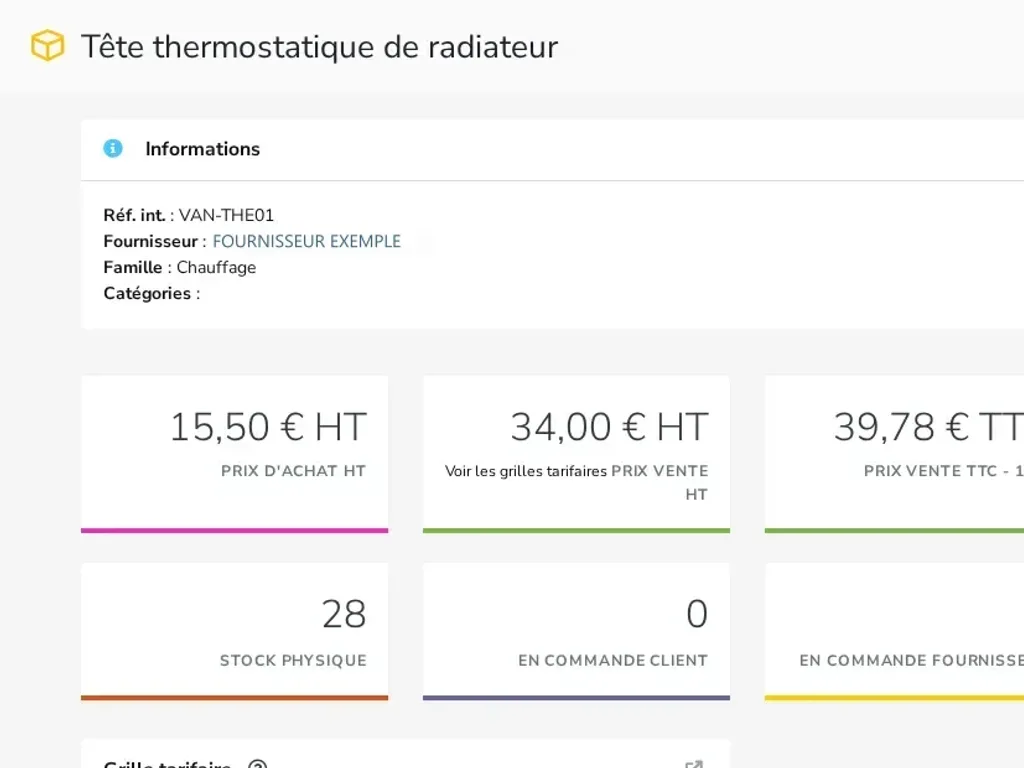
Item catalogue
Products and services sorted into families and sub-families, with purchase price, selling price and images.
Stock and inventory
Product and service catalogue, supplier orders, automatic stock movements, inventory with a barcode scanner: know your stock levels at any time, from your smartphone.
What you can do
Products and services sorted into families and sub-families, with purchase price, selling price and images.
Price request, order, goods receipt, supplier invoice and supplier credit note.
Goods receipts increase stock, deliveries and invoices decrease it, back orders included.
Be warned before you run out and restock in time.
Look up your item database with a 1D scanner and speed up your stocktakes.
Specific prices per customer or per customer category.
In practice
Build your catalogue item by item: name, detailed description, purchase price, public selling price, product or service family. Then set up your specific price lists, because not all your customers necessarily pay the same prices.
Draw up your supplier orders and confirm goods into stock; your customer delivery notes and invoices update stock automatically. If there is a mistake, you can still correct it manually.
Each item can have an image (handy for your quotes) and its documents: assembly instructions, user guide… And for your stocktake, a barcode scanner is all you need to know the exact value of your stock.
Frequently asked questions
Yes. Supplier goods receipts increase stock, and customer delivery notes and invoices decrease it automatically; manual correction is still possible.
Yes, eKo lets you look up the item database with a 1D barcode scanner, in particular for your stocktakes.
Yes, eKo offers minimum stock alerts for each item.