
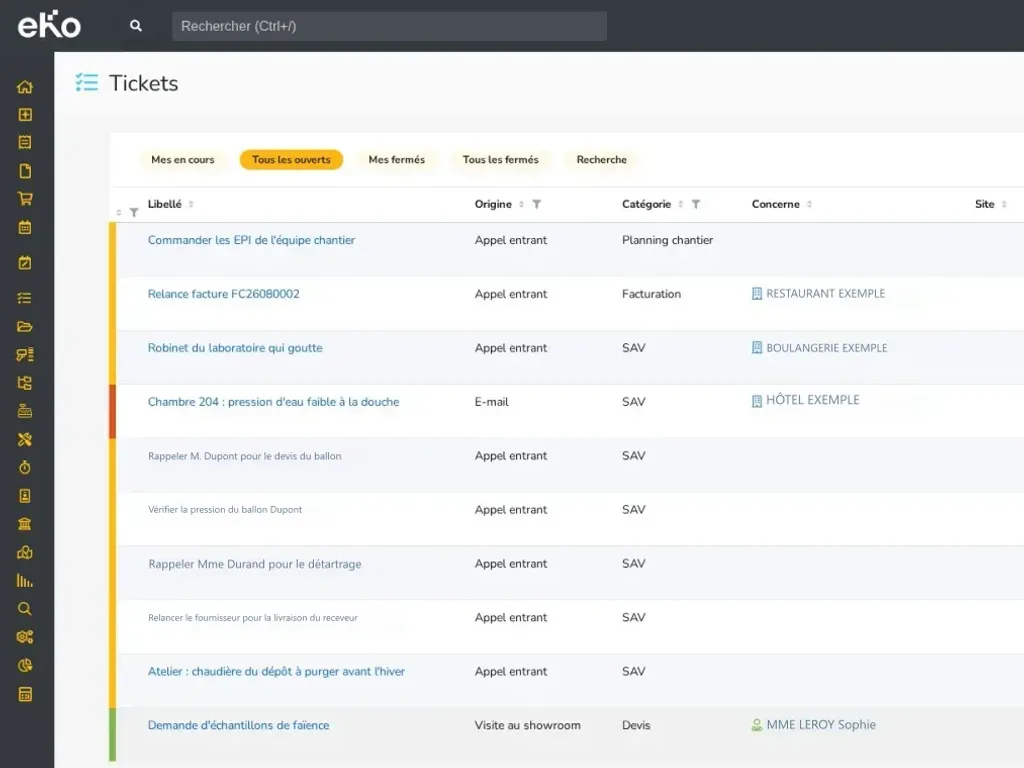
Categorisation
Identify, detail and sort each request by type.
Ticketing
The eKo ticketing module identifies, categorises and assigns each request to the right person, and keeps its history on the contact's record.
What you can do
Identify, detail and sort each request by type.
Give each ticket to the right person for quick handling.
The ticket and its comments stay on the contact's record, for good.
Measure average times per user and per ticket type.
In practice
eKo ticketing lets your teams solve problems quickly, in-house: the request is identified, categorised, detailed and assigned to the right person.
It is a clear improvement on the call log book: the information and how it was handled stay on the contact's record, and internal tasks are assigned in one click.
For an after-sales service or a help desk, a customer's ticket history is shared with the whole team: everyone can find a ticket and its comments, communication flows better and your customers are better served. The account manager oversees open and closed tickets.
Frequently asked questions
To record, categorise and assign your customers' requests or internal tasks, and keep their history on the contact's record.
Yes, the account manager measures average handling times per user and per ticket type.
Yes, the ticket history shared with the whole team makes it particularly well suited to an after-sales service or a help desk.