
On contact records
Store files of any format directly on the customer, prospect or supplier record.
Document management
Plans, confirmed orders, presentations, item documentation: eKo includes electronic document management so you can find everything, even away from the office.
What you can do
Store files of any format directly on the customer, prospect or supplier record.
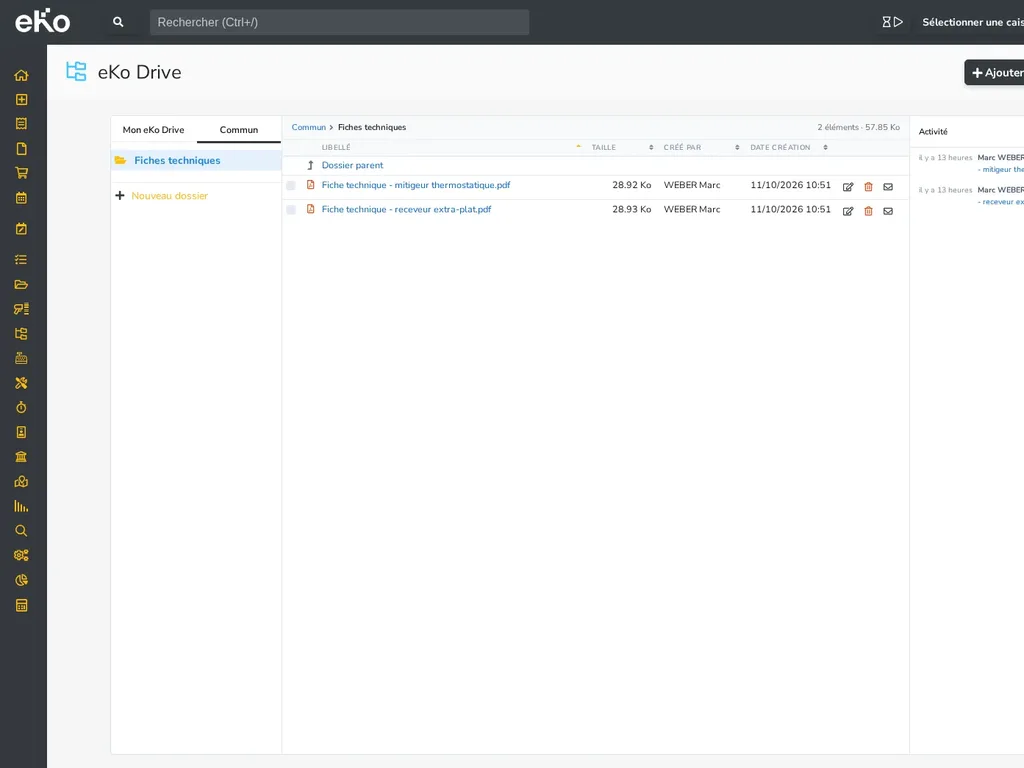
A library with a personal space and a space shared with your whole team.
Connect eKo to your copier's scanner, with splitting of scanned PDFs.
Your incoming emails and their attachments are linked to the sender's record.
* Subject to technical feasibility.
In practice
“Have you looked in the storage on the ACME record?” A typical conversation between two eKo users.
Your documents are stored centrally on contact records, but also in the eKo Drive library, with a strictly personal space and a space shared with your staff, organised in ordinary folders.
Almost everywhere in eKo, you can attach files: to a sales document, to an item record… With a Microsoft Exchange mailbox, eKo retrieves your incoming emails and their attachments and links them to the right record. Depending on each user's rights, these documents are shared with the team.
Frequently asked questions
On contact records and in eKo Drive, which has a personal space and a space shared with the team; files can also be attached to sales documents and items.
With a Microsoft Exchange mailbox, eKo retrieves your incoming emails and their attachments and links them to the contact's record.
Access depends on the rights set for each user by the account manager.